Why Kling AI Works So Well for Horror
Most AI video tools struggle with horror content for the same reason they struggle with realism generally. They default toward smooth, clean motion that reads as artificial. Horror works precisely because things move in ways that feel wrong. Too still. Too slow. Or suddenly wrong in a way you cannot predict.
Kling handles this better than any other tool currently available because of how it interprets motion at low strength values. When you keep motion strength between 0.2 and 0.4, Kling does not animate the scene so much as breathe life into it. Subtle chest movement. A slow camera drift. Hair responding to a breeze that should not be there. These micro-movements are what make horror content feel real rather than generated.
The image-to-video pipeline is also a significant advantage. You start with a strong base image from Midjourney, where you have full control over composition, lighting and atmosphere. Then Kling adds motion to something that is already visually correct. This two-step approach consistently outperforms text-to-video for horror because the base image quality is the foundation everything else builds on.
If you have not yet built your base images, the complete guide to writing Midjourney horror prompts covers exactly how to generate source material that works well in Kling. The Midjourney horror prompt library on Promptiex also has ready-to-use prompts you can generate from directly.
Kling AI Versions: Which One to Use
Kling has released multiple versions and the differences matter significantly for horror content.
| Version | Best For | Horror Use |
|---|---|---|
| Kling 2.5 Turbo | Fast generation, testing | Good for quick iterations before final render |
| Kling 2.5 Pro | High quality, complex motion | Best for final renders with character movement |
| Kling 3.0 | Most realistic output, dialogue support | Top choice for cinematic horror, supports lip sync |
For horror content intended for social media, Kling 2.5 Pro gives you the best balance of quality and generation speed. For anything you want to present as a finished cinematic piece, Kling 3.0 is worth the extra generation time. The difference in motion realism between 2.5 Pro and 3.0 is noticeable especially on human subjects.
The Core Settings for Horror Video
These are the exact settings to use in Kling for horror content. Every value here is deliberate. Changing them without understanding why tends to push results back toward the generic animated look you want to avoid.
The Motion Prompt: What to Write
The motion prompt in Kling is separate from your image prompt and controls specifically what kind of movement gets added to the scene. Most people either leave this blank or write something vague. Both are mistakes.
A strong motion prompt for horror does two things. It tells Kling what should move and how. And it tells Kling what should not move, which is often more important. Things that stay completely still in a scene where everything else has subtle movement create an immediate sense of wrongness that reads as genuinely threatening.
Motion Prompt Structure
Build your motion prompt in three parts. First describe the ambient movement in the environment. Then describe what the subject does, or specifically does not do. Then add any camera movement if you want it.
Negative Prompts: What to Block
Kling supports negative prompts and for horror content they are not optional. Without them, the model defaults to movement patterns that look like they belong in a video game cutscene rather than a horror film. These are the terms to include in your negative prompt for every horror generation.
The most important terms here are puppet movement and doll physics. These two phrases specifically address the artifact that makes AI horror look artificial. When a generated figure moves, it often moves all at once in a way that real bodies do not. Real bodies have weight, inertia and independent movement in different muscle groups. The negative prompt terms above push Kling away from the unified puppet-like motion and toward something that reads as organic.
Step by Step Workflow
-
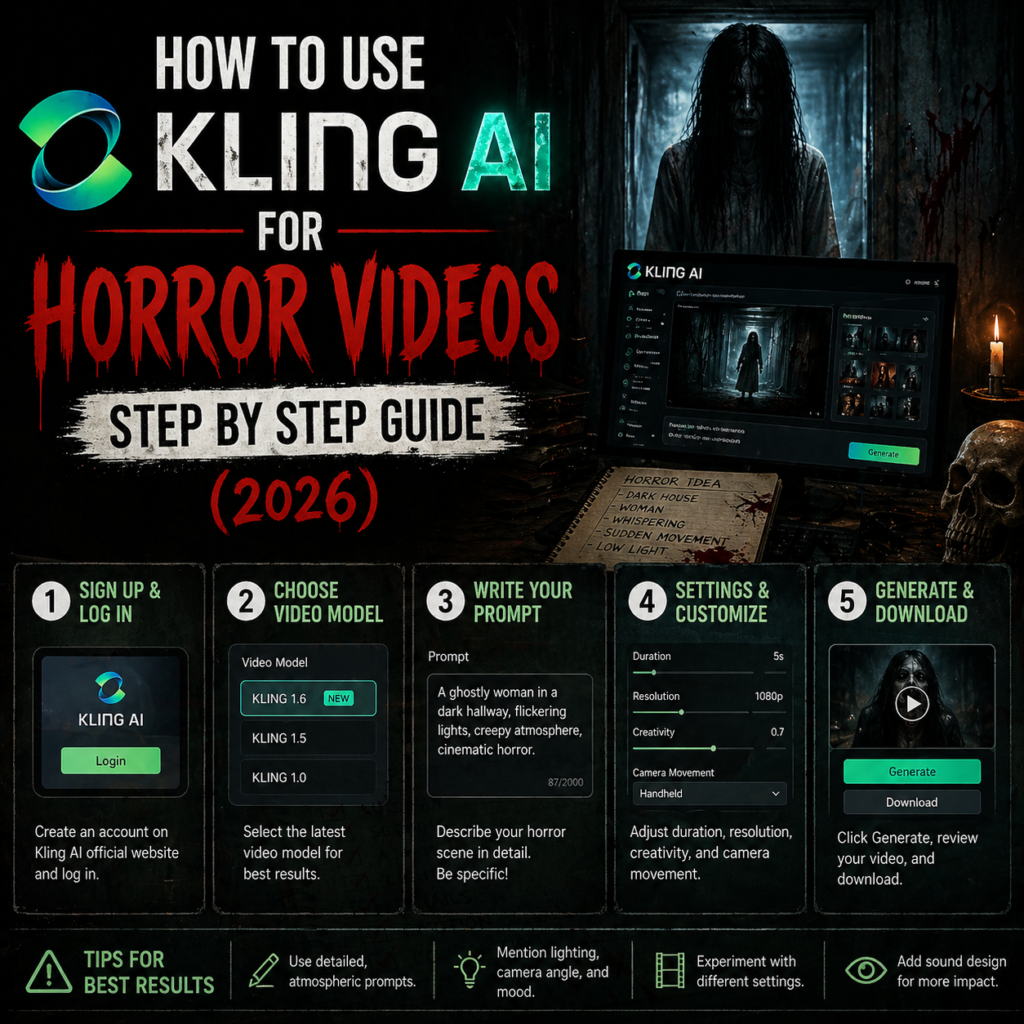
1Generate your base image in Midjourney Use the horror prompt structure from the Midjourney horror prompts guide. Use –style raw –v 7 and keep motion in mind when composing. A figure with visible breathing space, a scene with ambient elements that can move, a composition where small motion will be visible.
-
2Upscale the best result Kling performs better with high resolution input. Use Midjourney’s upscale function on your chosen image before downloading. This gives Kling more detail to work with and reduces artifacts in the output.
-
3Upload to Kling and select Image to Video Choose your version. For testing use 2.5 Turbo. For final output use 2.5 Pro or 3.0. Set duration to 5 seconds.
-
4Set motion strength to 0.3 Start at 0.3 for your first generation. If the result is too static, move to 0.4. If it looks over-animated, drop to 0.2. 0.3 is the sweet spot for most horror content.
-
5Write your motion prompt and negative prompt Use the structure above. Be specific about what moves and what stays still. Add the standard negative prompt terms every time.
-
6Generate and evaluate Watch the full clip before deciding. The first second often looks fine and problems appear later in the clip. If the motion looks artificial, adjust motion strength down and regenerate before changing anything else.
-
7Chain clips for narrative sequences Generate multiple 5 second clips from different base images that share a consistent visual style. Edit them together with slow cuts and add ambient audio. No music needed. Environmental sound only — distant wind, dripping water, a faint hum — keeps the found footage realism intact.
Using Kling 3.0 Dialogue for Horror
Kling 3.0 introduced dialogue generation, which opens a specific type of horror content that was previously impossible to produce with AI tools alone. A character speaking directly to camera in a horror context is one of the most effective formats for short-form content because it combines the uncanny valley effect of AI-generated faces with genuinely unsettling scripted dialogue.
What Works in Kling Dialogue Mode
Short sentences with unnatural cadence work best. Long complex sentences often produce lip sync artifacts. Write dialogue that sounds like something a person would say but that carries a secondary meaning that makes it disturbing in context. A character saying “I have been watching you for a long time” in a completely flat affect, in an otherwise normal setting, is more effective than explicit horror content.
Optimizing for Social Media Formats
The aspect ratio and framing of your source image determines how the video sits on different platforms. For TikTok and Instagram Reels, generate your Midjourney base image in 9:16 vertical format. For YouTube Shorts the same applies. For Instagram feed posts and Facebook, 1:1 square or 4:5 works better.
For horror content specifically, the vertical format has a particular advantage. It removes the wide cinematic frame and places the subject closer to the viewer, which increases the sense of personal threat. A figure that occupies the full height of a vertical frame at medium distance reads as significantly more threatening than the same figure in a wide cinematic composition.
| Platform | Midjourney Ratio | Clip Length | Notes |
|---|---|---|---|
| TikTok | 9:16 | 15 to 30 sec | Hook in first 2 seconds. No title cards, straight into the scene. |
| Instagram Reels | 9:16 | 15 to 60 sec | Loop-friendly endings perform well. Last frame connects to first. |
| YouTube Shorts | 9:16 | Up to 60 sec | Slightly longer narrative sequences work. Add ambient audio. |
| Instagram Feed | 4:5 | Up to 60 sec | Higher quality threshold from this audience. Use Pro or 3.0 only. |
| 16:9 or 1:1 | 30 to 90 sec | Longer clips perform better here than on other platforms. |
Common Problems and How to Fix Them
The figure moves like a puppet
Motion strength is too high. Drop to 0.2. Add “puppet movement, mechanical motion, robotic animation” to your negative prompt. Regenerate before changing anything else.
The background changes between frames
This is a consistency artifact that appears more often with complex backgrounds. Simplify your base image. Avoid backgrounds with fine detail like dense foliage or complex architecture. A dark corridor or a simple fog-covered field will hold consistency far better than a detailed outdoor scene.
The face looks wrong or distorts
Faces are the hardest element for Kling to hold stable across a clip. For extreme close-ups, keep motion strength at 0.2 maximum and focus the motion prompt on ambient environment rather than the subject. A very subtle camera drift is safer than any facial movement for close portrait horror shots.
The output looks clean and not scary
The source image is the issue, not Kling. Go back to Midjourney and build a stronger base image. Kling cannot add horror to a neutral image. The dread has to be in the composition, lighting and atmosphere of the source material before motion is added.
Frequently Asked Questions
Get Your Horror Prompts Ready
Start with the best base images. Browse the full Midjourney horror prompt library on Promptiex, tested and ready to generate from.
Browse Horror Prompts →